grate mod menu download

Grate Mod Menu - Download Grate for Gorilla Tag VR

Download the latest version of Grate Mod Menu for Gtag. Gorilla tag got a new mod menu called Grate, which opens a 3D menu granting powers over movement, physics, teleportation, and more. Grate is 100% free to use and download. It is legal, unbannable, open-source, and available on GitHub. Download Grate now.
What is Grate Mod Menu?

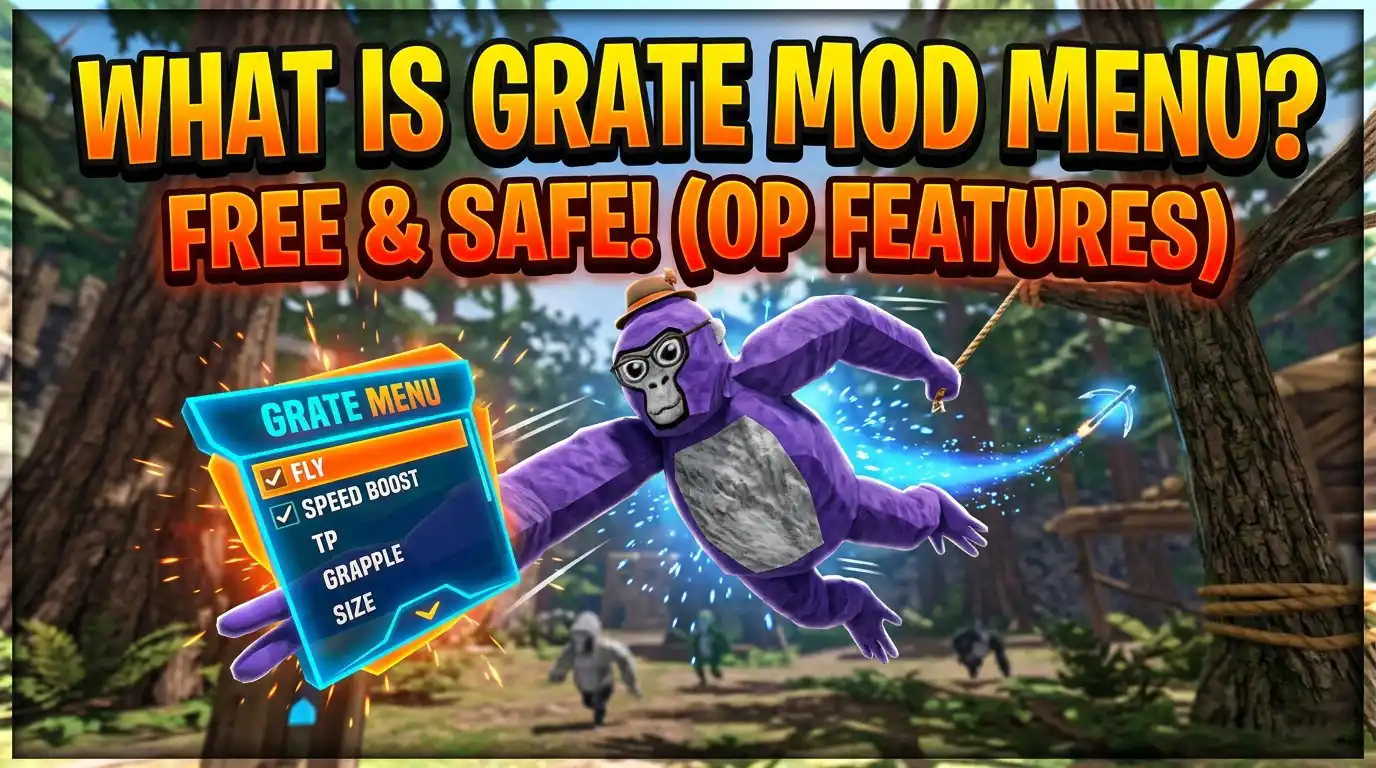
Grate is a mod menu in Gorilla Tag that summons a 3D menu in Gtag. It is new, popular, free, and safe to use. Grate can be used in private lobbies for features like flying, teleportation, speed boost, grappling hook, and changing character size. 


The Grate mod menu (previously Bark) is a 100% working mod menu. Grate is built by TheGraze and available on GitHub for free. You can download it directly from our website.

Grate Mod Menu – Info Table
🎮
Mod Name
Grate Mod Menu (formerly Bark)
👤
Official Developer
TheGraze
🦍
Mod For
Gorilla Tag VR
📅
Updated On
2025 — Actively Maintained
📄
File Format
.DLL BepInEx Plugin
💻
Device Compatibility
PCVR Quest 2 Quest 3 PC Link Required
⚙️
Mod Loader
Monke Mod Manager + Utilla
Mod Features
Fly Airplane Grappling Hook Wall Run Speed Boost Double Jump Platforms Swim Bubble Nail Gun Rocket Zipline Gravity Control No Clip No Slip Potions Teleport Portals Pearl Checkpoints Piggyback Telekinesis Boxing ESP
🏷️
Feature Categories
Movement Physics Teleportation Multiplayer
💰
License & Cost
Free Open Source
🛡️
Ban Risk
✓ Safe in Private Lobbies ⚠ Ban Risk in Public Lobbies
🔗
Source / Repository
grate mod menu

Features of Grate: Gorilla Tag Mod

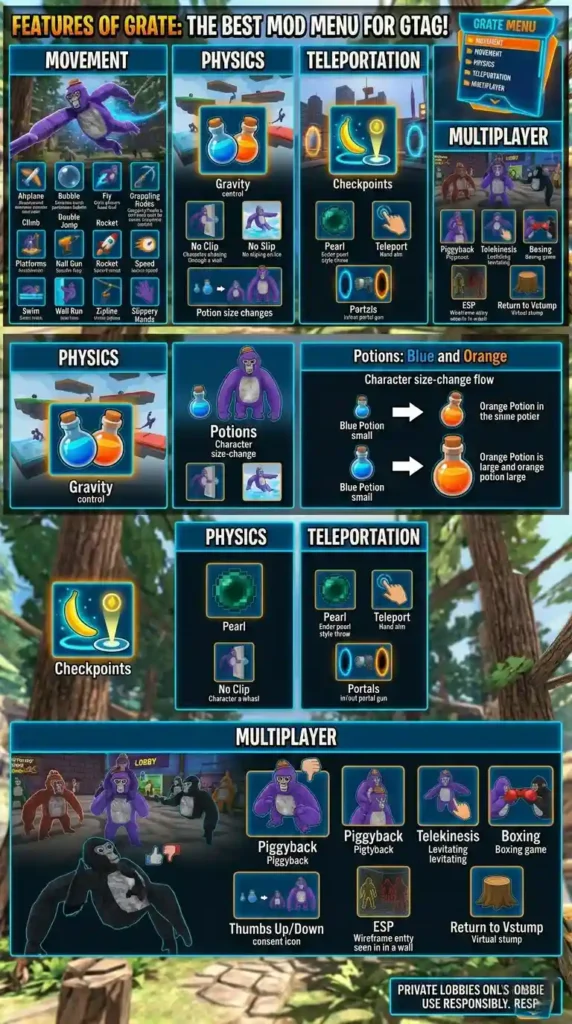
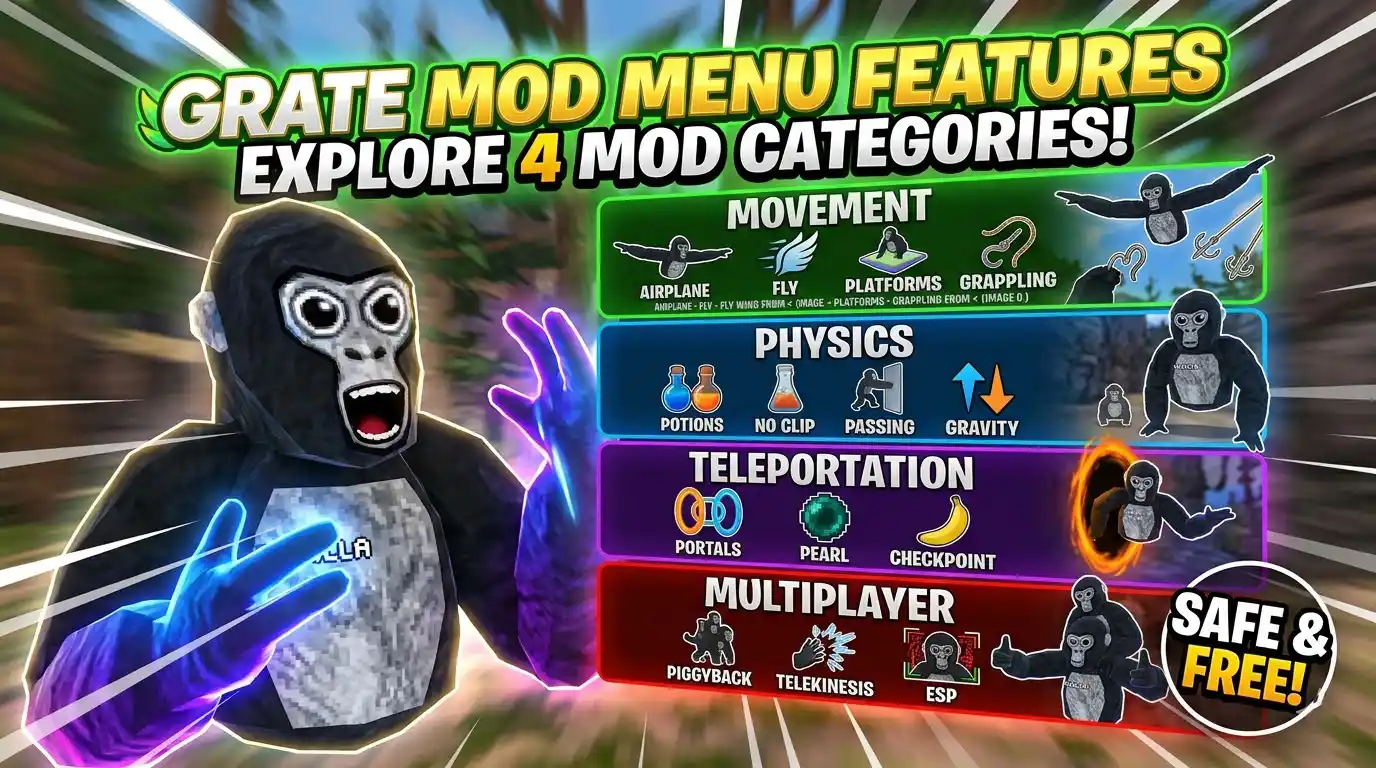
Grate is the best mod menu for Gtag that comes with a lot of features like airplane, climbing, double jumping, nail gun, teleportation, and more. The features are divided into 4 categories: movement, physics, teleportation, and multiplayer.

grate mod menu features

Movement

The movement features in the Grate mod menu are listed and explained below.

  • Airplane: Enables flight Mode that lets the player fly by spreading their arms.
  • Bubble: Creates a bubble around the character, allowing it to float around.
  • Fly: Helps the player fly in a modded lobby using the joystick.
  • Grappling hooks: Provide the avatar with a grappling gun that can be used for dynamic movement.
  • Climb: Allow the user to climb over any surface, like trees and even walls.
  • Double Jump: Enable the user to jump twice in the air.
  • Platforms: Creates a temporary platform in the air, allowing the player to walk on it.
  • Nail Gun: Provide the user with a gun that shoots nails when the trigger is pressed. The player can also grab these nails to climb the surface.
  • Rocket: Spawn a rocket on each hand that can be used to fly around.
  • Speed: Increase your forward movement speed. You can also customize the speed in the settings.
  • Swim: Allow players to swim in modded lobbies.
  • Wall Run: Enable the player to run over the walls, floors, and ceilings.
  • Zipline: Spawn a launcher on pressing the grip button and fires a zipline between two points on releasing the trigger button.
  • Slippery Hands: Makes you slip everywhere you go.


Physics

Grate also provides you with some physics features, too. Those features are

  • Gravity: Increase or decrease the strength of gravity in the map. You can change the strength of gravity from the settings.
  • No Clip: Enables you to pass through everything, such as walls and trees.
  • No slip: Prevent the character from slipping over a slippery surface, such as ice.
  • Potions: Allow the user to change the character size. Grate has two potions: a blue potion turns you small, while the orange makes you bigger. You can turn off the potion, and it will get you back to normal.


Teleportation

  • Checkpoints: Handed you a banana that, once you place, becomes a checkpoint, and you can spawn at that checkpoint anytime.
  • Pearl: Works like an ender pearl. Throw it, and it will teleport you to the place where it landed.
  • Teleport: Initiate teleportation using your hands to a target location where you focus.
  • Portals: Summons a portal gun that shoots out two different portals for “in” and “out”, and so you can pass through it


Multiplayer

  • Piggyback: Allow the player to ride on another player’s avatar. This action requires consent from the other player via an in-game thumbs-up and down gesture.
  • Telekinesis: Enables you to point at someone and lift and throw them from a distance.
  • Boxing: Permits the other player to punch you around.
  • ESP: Helps the character to see other players through walls.
  • Return to Vstump: Allow player to return to virtual stump. It works when you are on the map.

All the modules mentioned above have their own settings that you can configure according to your preferences.

Additionally, you can enable an option in the settings that changes Grate’s theme to make it look like Bark with Christmas lights.

grate mod menu infographics

How to get Grate Menu in Gorilla Tag

To download the Grate mod menu, follow the simple steps:

Step 1 – Prerequisite: You must have a mod loader, such as Monke Mod Manager, installed. It is important to add Grate in Gtag.

Step 2 – Download Grate Mod Menu: Click the download button at the top of this page (or below) to download the Grate.dll file. 

Step 3 – Open Monke Mod Manager: Launch the program. It should automatically find your Gorilla Tag installation directory.

Step 4 – Enable Utilla: Within the mod manager, make sure the Utilla box is checked before installing. Utilla is required to access modded lobbies, which is where you will use the Bark menu.

Step 5 – Open the BepInEx Folder: In the top left of the manager, click the Utilities button, then BepInEx Folder. This will open your game’s directory.

Step 6 – Navigate to Plugins: Inside the BepInEx folder, open the plugins folder.

Step 7 – Drag and Drop: Simply drag the Grate.dll file you downloaded into the plugins folder. That’s it!

Step 8 – Launch the Game: Start Gorilla Tag. To open the menu in-game, press the primary button on your left-hand controller (the ‘X’ button on Quest).

Follow the steps above or watch the video below for a better understanding of how to access the Grate mod menu in Gorilla Tag.

How to Use Grate Mod Menu

To use Grate Mod Menu in Gorilla Tag, follow the steps below.

  • Go to a modded lobby: Grate only works in the private lobbies. Launch the game and walk over to the computer station. Use the screen to select Modded Casual.
  • Join a lobby: You have two options: either join a random modded lobby or enter a specific code to join friends.
  • Activate the menu: Once inside the modded lobby, rhythmically hit your chest with both hands 4 times (LRLR or RLRL). This will summon the 3D mod menu interface.
  • Navigate the menu: To use a mod, simply select it from the menu options. To close the menu, grab it and throw it away.

This is how you can use the Grate mod menu for Gtag.

Frequently Asked Questions (FAQs)

Are gorilla tag mods legal to use?

Yes, Gorilla tag mods are generally safe and compliant with the game’s policy when used in private lobbies.

Mods are generally safer to use and won’t get you banned in private lobbies;; however, in public lobbies, they are forbidden and can lead to permanent account bans.

Yes, both Bark and Grate are the same. While Bark is not working for some users now, you can use Grate as an alternative to Bark and enjoy all the same features.

Conclusion

The Great Mod Menu by TheGraze added modded features to Gorilla Tag, including movement, physics, and multiplayer tools. It is a different version or a fork of the same Bark. If you are planning to try it, make sure to stick to private lobbies, download only from trusted sources, and remember that mods always carry a risk of getting banned. Whether you’re on PCVR, Quest 2, or Quest 3 with a PC link, using Grate is all about exploring Gorilla Tag in new ways while keeping fair play in mind.